One model.A thousand variants.
ModelSolid captures your master model inside SOLIDWORKS, gives it rules written in C# and publishes it as a web configurator. Sales or customers pick the options; the system builds the variant, the drawings and the paperwork without anyone opening the CAD.
How it works
Capture
An add-in inside SOLIDWORKS marks what is allowed to vary: dimensions, features, custom properties, drawings, replacement models and export formats.
Rule
Rules are written in C# with autocompletion and validated on save. Real code, with conditions, tables and functions — not spreadsheet formulas.
Publish
The configurator goes live on the web portal. Every order runs the generation on an unattended SOLIDWORKS and returns model, drawings and documents.
What it delivers
Real variants
Parts and assemblies rebuilt from the master model, in the requested configuration and exported to the formats you define (STEP, PDF, DXF…).
Updated drawings
Associated drawings are regenerated along with the variant, with no views or dimensions to reposition by hand.
Documentation
Quotes, routings and bills of materials in PDF and DOCX from your own templates. No spreadsheets anywhere in the chain.
A portal for your team
Users, groups and permissions. Sales configures and downloads; engineering maintains rules and models. History of every instance generated.
Installed on your side
It runs on your network, against your SOLIDWORKS and your database. Your models never leave for someone else's cloud.
Traceability
Every generation records which rules were applied, with what values, and which files came out.
See how you will use it
Explore the interface before your first project. Follow the workflow from product rules to reviewing a request, with a complete manual for each step.
Turn inputs into rules
Define width, height and thickness. Write C# expressions for derived values and test them before using the product.
Read about variables and rules →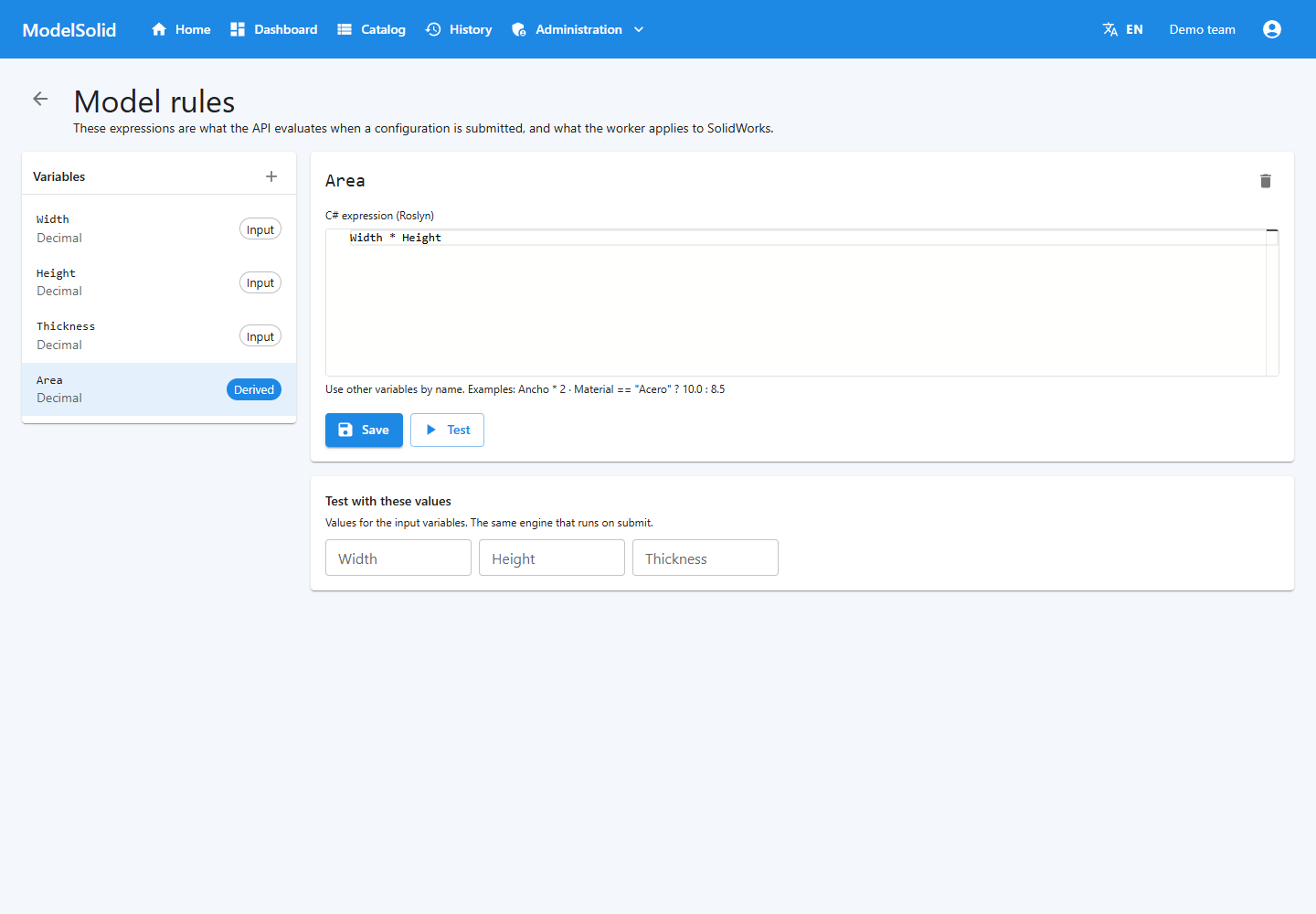
Keep the result in view
Check the instance code, submitted inputs, calculated values and available documents. The manual explains statuses, outputs and retries.
Understand history and jobs →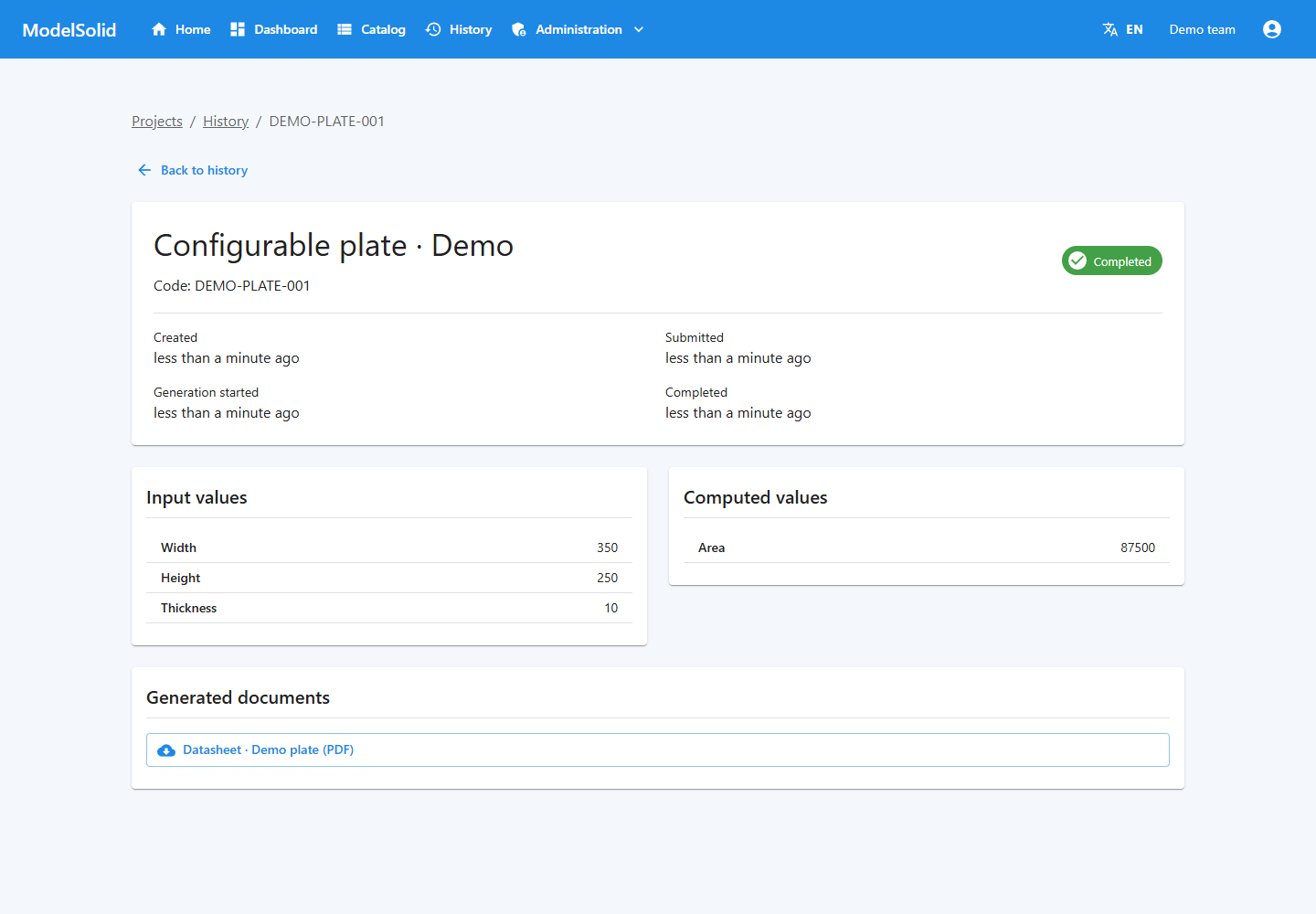
Your first configurable plate
Follow a complete example: prepare the master, capture dimensions, connect variables, publish the form and inspect the generated files.
Start the plate tutorial →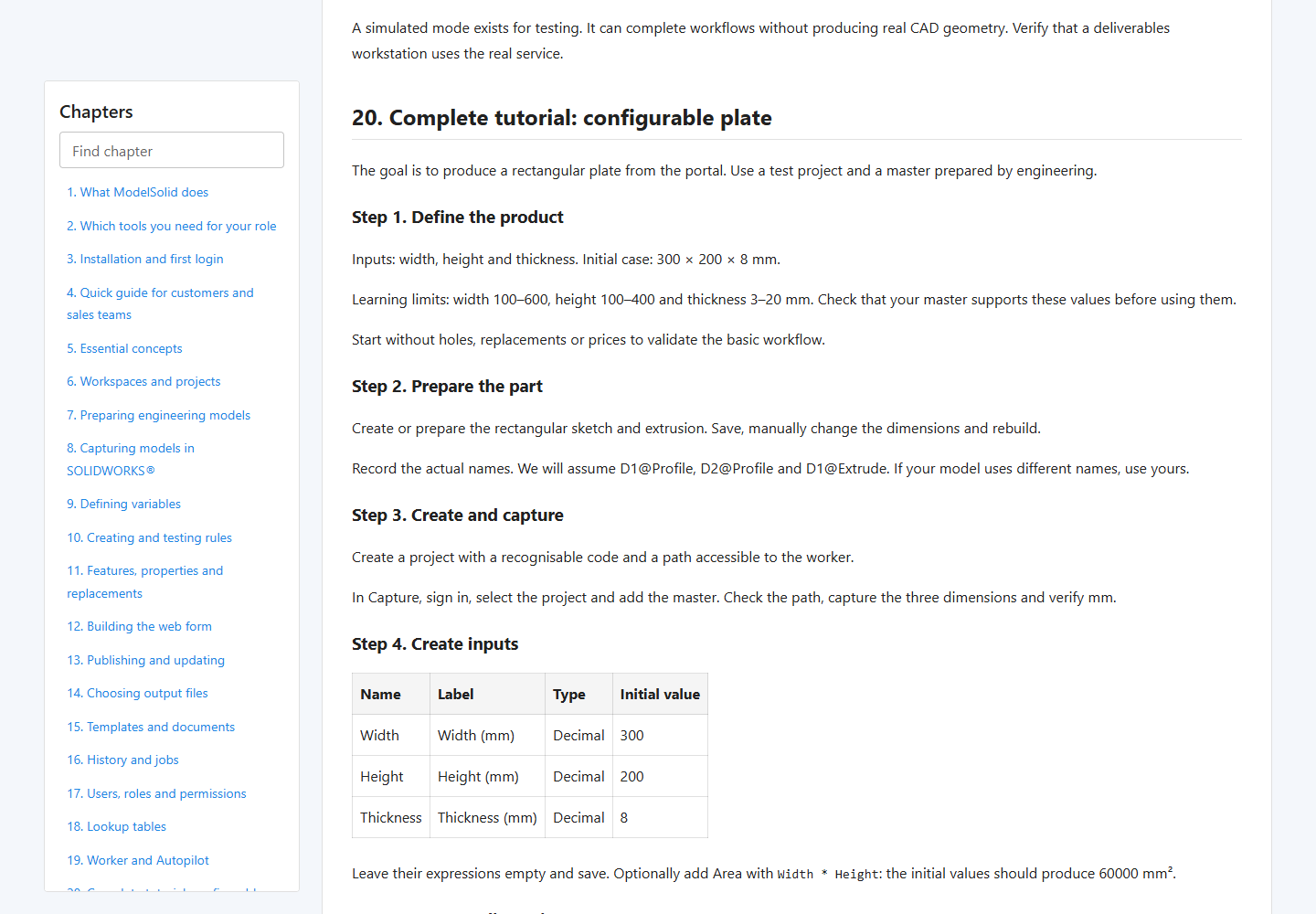
Screenshots use demonstration data, not customer information. The completed status and document shown illustrate the interface; they do not certify a real CAD generation.
Requirements
| System | Windows 10 / 11 or Windows Server. SOLIDWORKS only runs on Windows, so the server does too. |
|---|---|
| CAD | Your own licensed SOLIDWORKS on the machine that generates. ModelSolid drives it; it neither replaces nor includes it. |
| Runtime | .NET 8 (the installer puts it in if missing). |
| Database | PostgreSQL 16 for production. |
| Concurrency | One generation at a time per available SOLIDWORKS licence. |
| Network | Outbound HTTPS to licenses.modelsolid.com to activate and renew the licence. Works offline through the grace period. |
Licence
ModelSolid is proprietary software, licensed by subscription. The installation activates against the license server and keeps running without a network through the grace period, so an internet outage does not stop the workshop.
With no key, the product still starts and runs 30 days as a trial, with every capability. Once the term is up it stops generating until a key is entered; nothing you have created is deleted.
For a quote, a guided trial or a pilot on one of your own models, write to info@modelsolid.com.
- Online activation and renewal
- Offline grace period configured by default
- Updates to the contracted version
- Email support
Download
The installer asks for a licence key at the end of the wizard. Leave it empty to start the 30-day trial. It needs administrator rights: it registers the SOLIDWORKS add-in and installs the Windows service. It is not code-signed yet: Windows will show Unknown publisher and SmartScreen may ask you to confirm. Verify the SHA-256 above before running it.